- Why Does an MT5 Broker Need Liquidity Connectivity?
- How a Forex Bridge Works: From Client Order to LP Execution
- 1. The client submits a request
- 2. MT5 checks the trading conditions
- 3. The connection processes the request
- 4. The LP processes the order
- 5. Execution updates return
- 6. The broker reconciles the records
- Price Feeds and Order Execution Are Different Functions
- What Functions Can a Forex Bridge Provide?
- Does Every MT5 Broker Need a Separate Bridge?
- Common Problems During MT5 Bridge Integration
- How to Test a Forex Bridge Before Going Live
- Forex Bridge Costs: What Should Brokers Check?
- Who Is Responsible for Bridge Maintenance?
- How EBS FinTech Supports MT5 Bridge Integration
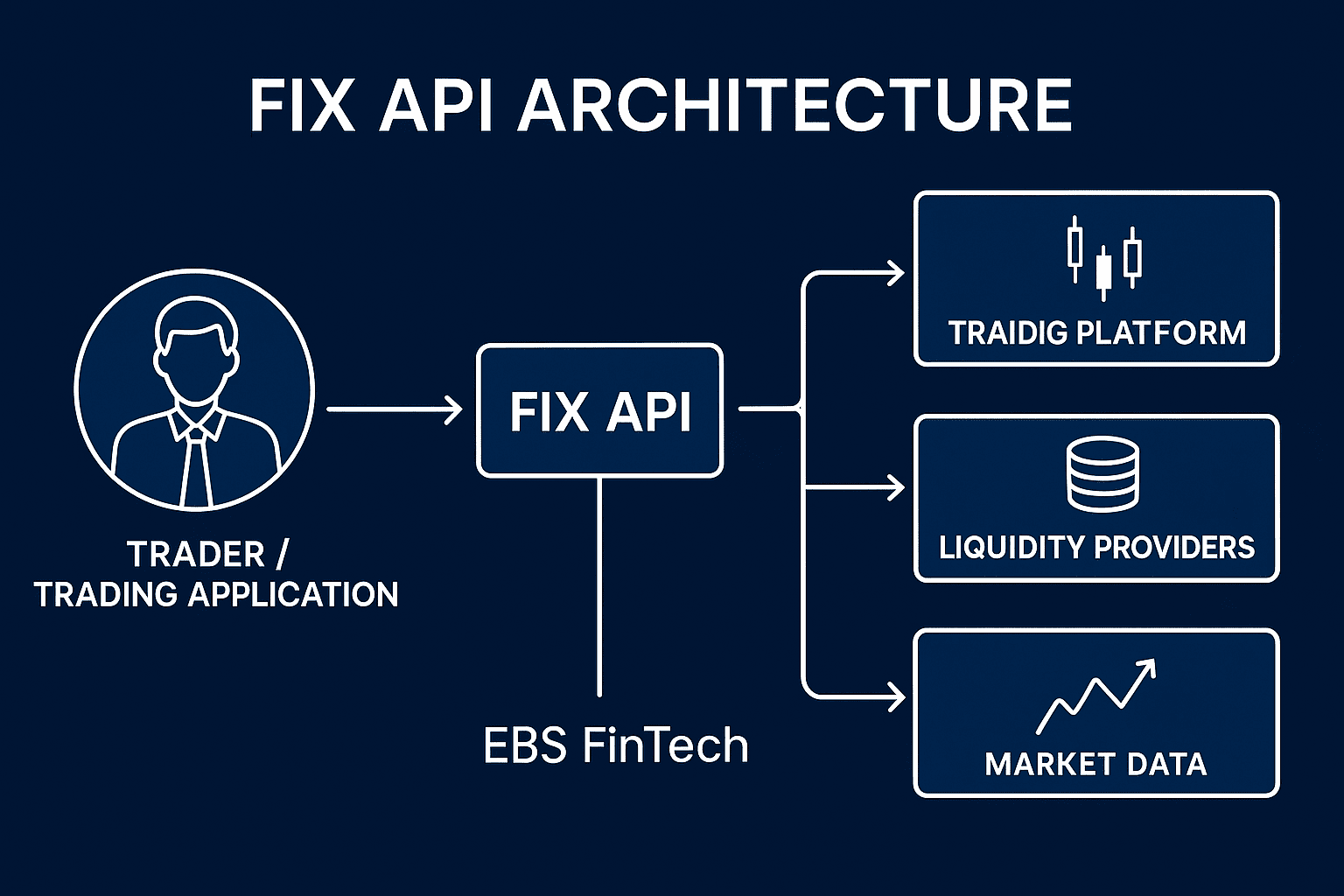
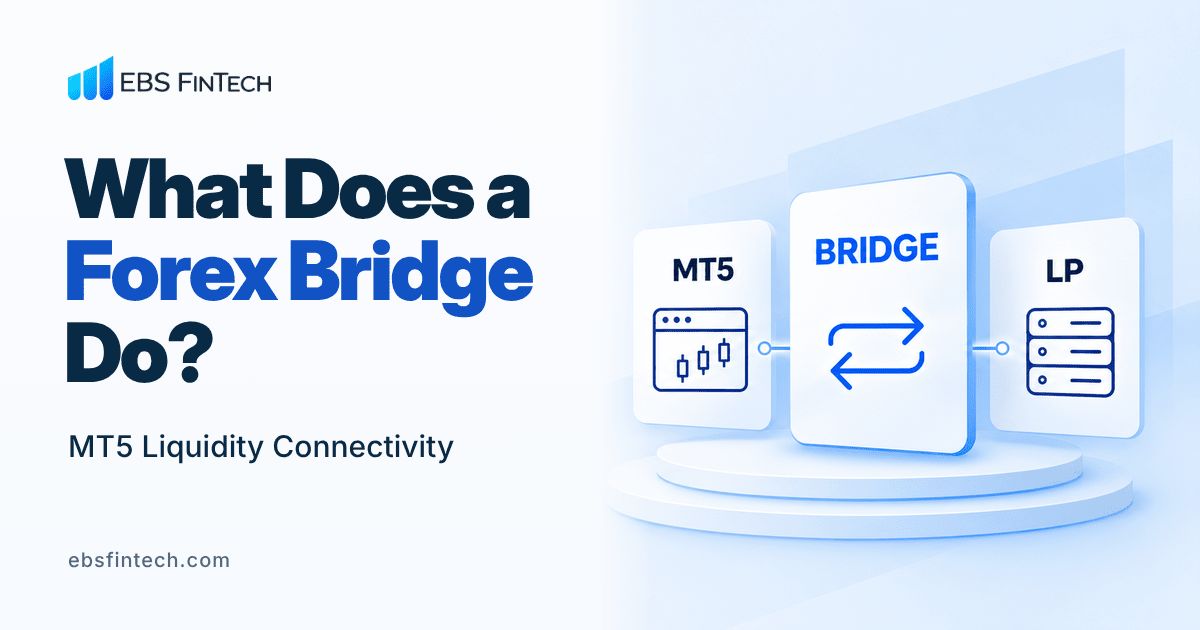
A forex bridge connects a trading platform to external liquidity and execution systems. Depending on the product, it can distribute prices, route orders, translate instrument and volume formats, and return execution reports.
Some forex bridge software also includes aggregation, exposure reporting and automated hedging, depending on the product and licence. An MT5 broker can evaluate it by following an order through the systems involved.
Why Does an MT5 Broker Need Liquidity Connectivity?
Running MT5 provides a trading platform. External liquidity requires a relationship with a liquidity provider (LP), an approved account and compatible connectivity.
Technical connectivity does not replace the LP’s commercial approval. A vendor supporting an LP only shows that a connection is possible. Whether the broker can open an account, which instruments it may trade and how much credit it receives remain the counterparty’s decision.
The broker’s execution model determines what is sent to the LP: individual client requests, selected flow, or hedges against accumulated exposure. This affects routing, account funding and reconciliation. Our guide to choosing a forex liquidity provider covers the counterparty and commercial checks before integration.
How a Forex Bridge Works: From Client Order to LP Execution
For an externally routed request, the simplified path is:
Client request → MT5 → connectivity layer → LP → execution response → MT5
The connectivity layer may combine an MT5 Gateway with a separate bridge or execution engine. This illustrative sequence varies with the execution mode and implementation.
1. The client submits a request
The trader specifies the instrument, direction, volume and relevant order conditions. Pending orders require separate treatment: placing one does not necessarily send an executable request to the LP immediately. Its holding and triggering location depends on the architecture.
2. MT5 checks the trading conditions
MT5 processes the request against applicable account, instrument and trading settings, including permissions, volume limits and margin requirements. MT5 group configuration forms part of this setup. A locally rejected request may never reach the external connector.
3. The connection processes the request
The configured integration maps the instrument, converts quantities where needed and applies the appropriate execution route. A request must match the enabled accounts, symbols and routing conditions. PrimeXM’s MT5 Gateway documentation provides one example of an MT5 component routing requests to an external engine and returning confirmations.
4. The LP processes the order
The LP processes the order against available liquidity, account limits and supported conditions. Depending on execution rules, it may fill, partially fill or reject it. A displayed price does not establish the final execution price.
5. Execution updates return
The integration passes supported execution states back into the MT5 workflow. Teams must distinguish acknowledgement, execution and final order status. MetaQuotes explains the relationship between orders, deals and positions; one order can produce several deals.
6. The broker reconciles the records
Operations compares platform records, connector logs and LP statements using available identifiers and consistent timestamps. Where the broker nets or selectively hedges exposure, client positions and LP positions require a reconciliation method that reflects that model. They need not match ticket for ticket.
Price Feeds and Order Execution Are Different Functions
A working price feed does not guarantee successful order execution.
A chart can keep updating while trading fails because of an unavailable execution connection, incorrect symbol mapping, unsupported order conditions, closed trading sessions or insufficient margin or credit at the LP. Client account permissions can also prevent the request from leaving MT5.
Start with an affected request: where did it stop, and what did that system report? This is more useful than treating every rejection as a server fault. See our guide to common MT5 server problems for broader diagnosis.
Keep client margin and the broker’s LP margin separate when diagnosing a failure. A client who can submit an order in MT5 has not shown that the broker’s LP account still has sufficient credit.
What Functions Can a Forex Bridge Provide?
Use this table to frame vendor questions. These functions may sit in different components or require additional licences.
| Function | What to confirm |
|---|---|
| Price distribution | Supported feeds, subscriptions and handling of stale prices |
| Order routing | Available destinations, rule priority and fallback behaviour |
| Execution reports | Supported states, identifiers and rejection details |
| Symbol mapping | Instrument identifiers, price scaling and quantity conversion |
| Liquidity aggregation | Supported LPs, how the price book is built and execution logic |
| Risk routing | Rules for external execution or hedging, where supported |
| Exposure reporting | Coverage, calculation method and update frequency |
| Connection monitoring | Session, price and execution alerts |
Liquidity aggregation deserves its own review when several LPs are involved. Connecting two providers does not, by itself, define how prices or orders are distributed.
Does Every MT5 Broker Need a Separate Bridge?
No. A supported MT5 gateway may meet a straightforward connection requirement. A third-party bridge or hub may suit more complex routing, reporting or operations across multiple platforms. MT5 also supports native liquidity aggregation and matching through Ultency.
The choice depends on LP compatibility, execution requirements, operational control and commercial terms. Confirm availability for the actual deployment. Our FIX API vs MT5 Gateway guide explains the connection layers in more detail.
Common Problems During MT5 Bridge Integration
MT5 bridge integration should be checked across the full order path. A successful session login shows only that one part of the connection works.
| Problem | What to investigate |
|---|---|
| Incorrect symbol mapping | MT5 instrument, connector mapping and LP identifier |
| Contract size mismatch | Conversion from lots to units and actual hedge quantity |
| Price precision errors | Digits, tick size and scaling at each interface |
| Order rejections | Original response, order type, volume step, permissions and LP limits |
| Trading session mismatch | Trading hours, holidays, time zones and daylight-saving changes |
| Connection interruptions | Session logs, network events, credentials and reconnection behaviour |
| Inconsistent execution records | External IDs, missing updates, timestamps and duplicate processing |
| MT5 and LP position differences | Netting or hedging rules, partial fills and unreconciled trades |
Matching symbol names is not enough. Two systems can both call an instrument EURUSD and still use different volume units. The integration must preserve the intended instrument, quantity and economic exposure across systems.
Retain the affected request, logs and current configuration before changing settings. Compare failing and working requests under equivalent conditions to isolate the difference.
How to Test a Forex Bridge Before Going Live
Before user acceptance testing (UAT), agree criteria with the broker, LP and vendor covering intended instruments, account groups and execution routes.
| Test | Acceptance focus |
|---|---|
| Price feed | Correct prices, freshness checks and agreed latency measures |
| Symbol mapping | Correct instrument, price increments and quantity conversion |
| Market orders | Opening and closing trades, volumes and supported fill policies |
| Pending orders | Placement, triggering, cancellation and hosting location |
| Rejected orders | Correct status, useful reason and no unintended booking |
| LP disconnect | Alerts, handling of affected orders and approved fallback behaviour |
| Session recovery | Checks on outstanding orders and duplicate prevention |
| Trade reconciliation | Traceable records across MT5, the connector and LP |
Test partial fills where supported and representative load within agreed limits. Demo results help validate the workflow; live permissions, credit and liquidity conditions still need separate confirmation.
Define each latency measurement: response time between client and server, connector processing time and LP response time cover different stages. Confirm clock synchronisation and time zones before comparing timestamps; set thresholds for the actual deployment.
Pay particular attention to an order sent immediately before a connection fails. A missing response does not prove that execution failed. Check its status through supported recovery procedures before resubmitting or switching its execution route.
Retain test evidence, approved settings and escalation contacts. Retest after material changes to the connector, MT5 build, LP settings or contract specifications.
Forex Bridge Costs: What Should Brokers Check?
Request an itemised quotation for licensing, integration, LP connections, recurring charges, additional servers or environments, and support. Check usage charges, minimum commitments and extra reporting modules.
Confirm who invoices each item and which changes trigger new fees. LP funding requirements and platform fees should be budgeted separately where applicable. Product scope and charging models vary, so a generic monthly bridge price is an unreliable project budget.
Include migration and termination terms in the review: configuration exports, access to historical records and transition support can affect the cost of changing providers later.
Who Is Responsible for Bridge Maintenance?
Responsibility should be recorded before launch, particularly when several providers share the execution path.
| Party | Responsibility |
|---|---|
| Bridge vendor | Its software licensing, documented functionality, defect investigation, operation and maintenance under its agreement with the broker |
| Broker | Commercial agreements, execution policy, risk decisions, LP funding and reconciliation of trading records |
| EBS FinTech | Agreed MT5-side configuration, coordination of MT5, LP and bridge integration, testing, and technical support within the agreed scope |
An EBS FinTech support agreement should specify monitored MT5 components, support hours, escalation arrangements and change authority. EBS FinTech does not supply, host, operate or maintain third-party bridge software.
Agree incident contacts, authority to restrict trading and the evidence each provider needs for investigation.
How EBS FinTech Supports MT5 Bridge Integration
EBS FinTech can coordinate agreed integration work between MT5, the LP and the bridge, including MT5 gateway configuration, symbol mapping, integration testing and MT5 server hosting. The scope is defined around the broker’s architecture and chosen providers. The broker procures and licenses its bridge directly from its chosen provider, which remains responsible for operating and maintaining it.
To review your connection requirements, share your MT5 setup, selected LP, instruments and intended execution model through our MT5 liquidity connectivity and integration service.