
- MT5 server problems are not always server failures
- 1. Clients cannot connect to the MT5 server
- 2. MT5 is connected but prices stop updating
- 3. Clients can log in but cannot place orders
- 4. Orders are rejected or execution is delayed
- 5. Access Server connectivity is unreliable
- 6. Server resources become constrained
- 7. A Bridge or LP connection fails
- 8. Symbols, leverage or trading conditions are wrong
- 9. CRM and MT5 account records do not agree
- 10. Problems appear after an update
- How to troubleshoot an MT5 incident step by step
- MT5 troubleshooting matrix
- When should a broker escalate an MT5 incident?
- How to prevent recurring MT5 server problems
- How EBS FinTech supports MT5 troubleshooting
- Frequently asked questions
- Why is my MT5 server connected but not receiving prices?
- Why can some MT5 clients log in while others cannot?
- Can an LP problem cause MT5 trade rejections?
- How can brokers distinguish MT5 server issues from CRM problems?
- When should an MT5 broker contact a technical maintenance provider?
A client can see their balance but cannot place an order. Gold prices have stopped moving while currency pairs continue updating. Clients in one country keep disconnecting, yet the dealing desk sees no interruption.
Each report may arrive as an “MT5 server problem”. The first job is to establish what has actually stopped working. Restarting services before answering that question can interrupt unaffected clients and make the original fault harder to trace.
This guide explains how brokers can diagnose common MT5 server problems: where to look, what evidence to collect and when to escalate. The checks are a practical investigation framework; procedures for each component depend on the deployed version, integrations and vendor documentation.
MT5 server problems are not always server failures
MetaQuotes describes MT5 as a distributed platform, with separate server functions and interfaces for external systems. A brokerage may also depend on Access Servers, Gateways, a third party Bridge, liquidity providers (LPs), a CRM and API integrations.
Map the affected service before investigating individual machines. Client connectivity, market data, order processing and account administration have different dependencies. A successful login tests only part of that environment.
Record the first known failure, the last confirmed normal operation and any recent changes. These give the investigation a time window and a starting hypothesis.
1. Clients cannot connect to the MT5 server
Separate the reports into three scopes:
- One client: verify the selected broker server, account details, authentication requirements, terminal build and local network restrictions.
- One region or network: compare affected internet providers and connection routes with an unaffected location.
- Multiple regions and accounts: check shared access infrastructure, upstream networking and core platform availability.
Collect the exact terminal Journal message and timestamp. A rejected authentication attempt needs different checks from a connection that never reaches the platform. Verify DNS where hostnames are used, firewall rules and the relevant Access Server logs.
Use an authorised diagnostic account for comparison. Avoid repeatedly resetting client passwords when the evidence points to a network fault. Escalate when the affected population is expanding or independent connection paths fail together.
2. MT5 is connected but prices stop updating
Start with the instrument, not the connection indicator. Establish whether the interruption affects one symbol, one account group or the full feed.
Trace prices from the source towards the client. Are new quotes arriving from the LP or data provider? Does the Gateway or Bridge receive and forward them? Does the intended MT5 symbol receive updates? Compare quote timestamps at each available observation point, accounting for clock differences.
Check symbol mapping, subscriptions, feed permissions and session schedules. MT5 displays separate quoting and trading sessions in the instrument specification; check holidays and server time as well.
A quiet instrument does not necessarily indicate a stale feed. Judge quote age against expected activity and an appropriate comparison source. If suspect prices are reaching clients, involve the dealing and risk teams promptly before changing feeds or trading availability.
3. Clients can log in but cannot place orders
First confirm the type of login. Investor access permits observation but not trading, so a successful connection can coexist with a legitimate trading restriction.
Next inspect the affected account, group and symbol: trading permission, available margin, permitted volume, order type, session and execution settings. Determine whether all orders fail or only particular instruments, directions or sizes. If only an Expert Advisor fails, compare its permissions and request parameters with an authorised manual test.
Compare effective settings with the approved account product and a working account under equivalent conditions. Our MT5 Group configuration guide explains how those conditions interact.
Do not remove a risk restriction simply to make a test pass. Confirm whether the restriction is intended and obtain approval for any correction.
4. Orders are rejected or execution is delayed
Capture the request details, return code and available order identifiers. The official MT5 trade server return codes distinguish conditions such as invalid volume, disabled trading, a closed market, insufficient funds and unavailable quotes. A generic rejection alone does not identify the responsible component.
For requests routed externally, establish whether they reached the Gateway or Bridge, were forwarded to the LP and received a response. Investigate executable liquidity, routing rules and LP credit or margin limits where relevant. Internally processed orders need investigation along their actual execution path.
For delays, compare recorded processing stages rather than treating terminal ping as execution latency. Check clock synchronisation before subtracting timestamps from different systems.
Following a timeout, establish the final order state before resubmitting; a missing response is not proof that nothing executed.
For MQL5 applications, MetaQuotes specifically notes that OrderSend returning true does not establish successful execution. Inspect retcode, subsequent transaction records and, where the integration provides it, retcode_external, the external system return code. Its use and meaning depend on the broker and the connected trading system; it is not a universal LP error code. Other APIs require their own documented success checks.
5. Access Server connectivity is unreliable
Use this investigation when failures cluster around an access node or client route. Compare node availability, connection counts, reconnection patterns, resource pressure and the path back to the trading infrastructure. Include packet loss and route changes from affected regions.
A successful test from inside the data centre does not establish that overseas clients can connect reliably. Use external observations and check whether clients actually reached the intended alternative node during a disruption.
Adding another Access Server requires capacity and routing validation. It does not repair a failed Trade Server. If the evidence points to placement or network design, review broker server hosting and managed infrastructure alongside the incident findings.
6. Server resources become constrained
Review CPU, memory pressure, disk latency, available storage and network throughput around the incident. Check individual processes and cores where relevant: a moderate average across the host can conceal a local bottleneck.
Correlate changes with quote traffic, connection bursts, reporting jobs, backups and abnormal background processes. Compare similar trading periods against historical behaviour. There is no single CPU or memory threshold that indicates health for every MT5 deployment.
Fast log growth deserves investigation as well as storage management. Repeated errors may be generating the growth. Preserve relevant evidence, then rotate or archive logs under the retention policy. Escalate before resource exhaustion interrupts service, and address the cause before deciding whether extra capacity is needed.
7. A Bridge or LP connection fails
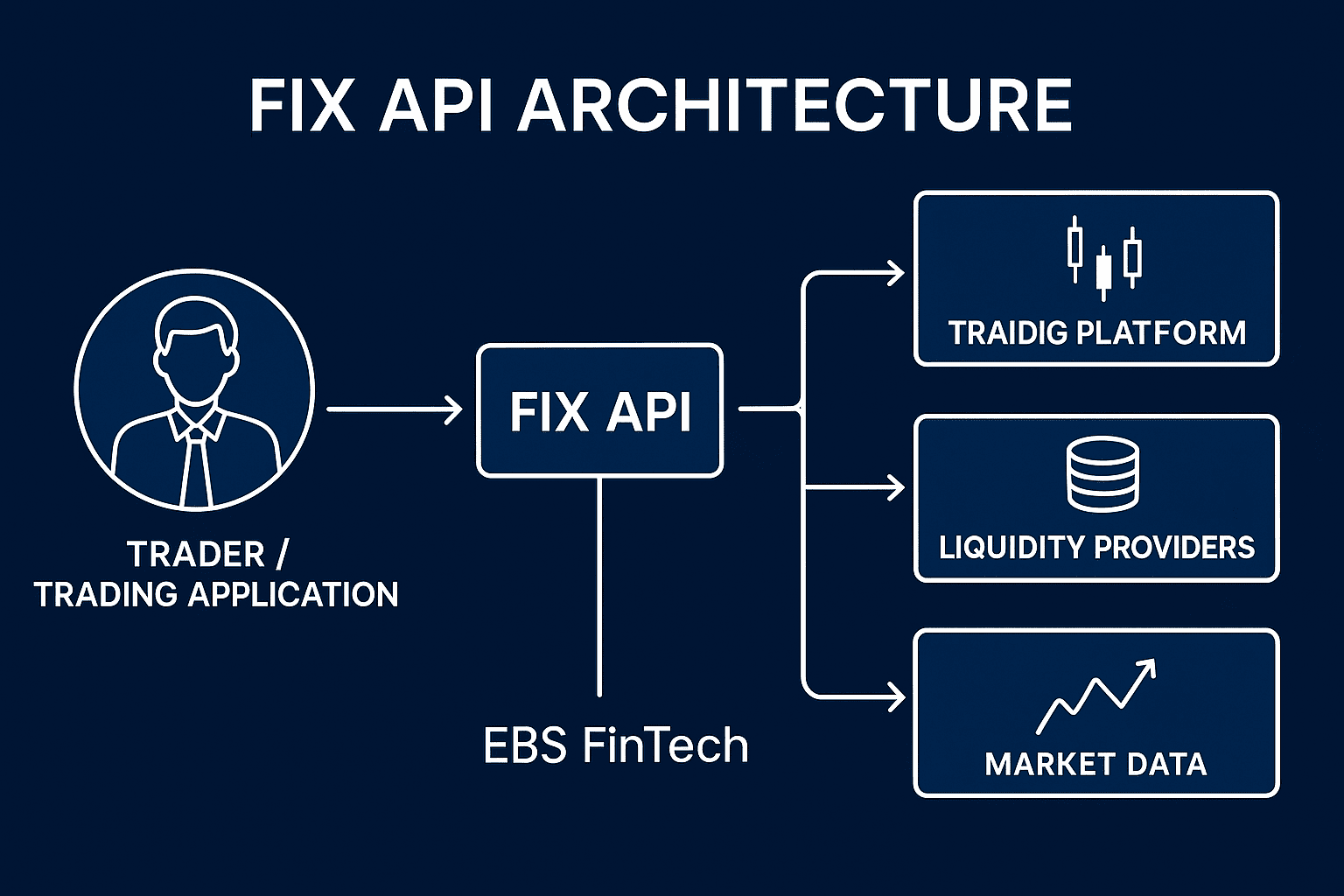
For externally routed flow, follow the deployed chain: MT5 → Gateway or Bridge → LP. Not every broker uses both a Gateway and a separate Bridge, and not every client order follows an external route.
Check each boundary: service availability, session authentication, allowed IP addresses, supported instruments and routing. Where market data and execution use separate sessions or permissions, inspect both. Continuing prices do not establish that order execution or hedging remains available.
Ask the relevant vendor to match a specific failed request against its own records. Before switching providers, verify mappings, executable conditions, available credit and outstanding order states. Reconnection alone is insufficient evidence that the entire route has recovered.
8. Symbols, leverage or trading conditions are wrong
Treat incorrect conditions as a configuration incident, even when every service is online. Establish exactly what differs from the approved product: symbol access, contract size, account leverage, margin treatment, commission, swaps or trading sessions.
Check recent group transfers, CRM assignments and symbol mapping changes. Verify the account’s actual leverage separately; do not assume that moving it into another group has changed that value. Test the effective margin calculation for the affected instrument and trade size.
Record the discrepancy before correcting it. If clients have already traded under unintended conditions, identify the affected period and accounts. The broker’s authorised teams should assess any remediation; technical staff should preserve the records needed for that decision.
9. CRM and MT5 account records do not agree
A CRM registration, an MT5 trading account and a completed funding operation are separate business events. Follow the failed workflow using its request reference, intended server, customer record and MT5 login.
For missing or duplicate accounts, inspect group mapping, integration permissions, queues, retries and callbacks. For balance discrepancies, compare the underlying transaction records, currencies and balance or credit operations, rather than relying on a dashboard total.
Interpret “success” according to the specific API contract. An acknowledgement may cover only an intermediate step. After a timeout, query the actual outcome before retrying an account creation or funding instruction. Use deduplication controls so a lost response cannot produce a second business operation. Escalate unexplained monetary differences immediately.
10. Problems appear after an update
Identify what changed: a client terminal, server component, plugin, Gateway, API library, operating system or network policy. A client build release does not establish that the broker’s Trade Server was updated.
Compare failures with the change record and check the affected dependencies against vendor compatibility guidance. Preserve relevant configurations and logs before further changes.
Recovery options need validation too. A software downgrade may be unsupported, and restoring an older database can discard subsequent trading records. Use the approved recovery procedure, with vendor input where necessary. The MT5 backup server guide covers the recovery capabilities brokers should establish beforehand.
After remediation, validate login, quotes, approved trading tests and integrated account workflows. A running service is only the first check.
How to troubleshoot an MT5 incident step by step
Use a consistent sequence: Detect → Classify → Isolate → Verify → Resolve → Reconcile → Review. Urgent containment and escalation can run alongside diagnosis.
- Detect: log the symptom, first observed time, time zone and affected accounts, symbols or locations.
- Classify: assess trading access, price integrity, exposure and account records. Assign an incident owner and involve dealing, risk or security as needed.
- Isolate: correlate platform, network and integration evidence. Preserve original timestamps and record clock offsets.
- Verify: test the suspected cause against an unaffected comparison. Prefer non-production reproduction; live tests need explicit operational approval and controlled exposure.
- Resolve: apply the authorised fix or workaround, with a named owner and recovery plan. Record each change and its observed result.
- Reconcile: check orders, deals, positions, balances and, where relevant, external hedges. Resolve ambiguous requests before replaying them.
- Review: document the cause, contributing conditions, client impact and follow-up actions. Give each action an owner and completion date.
MT5 troubleshooting matrix
These are starting points for investigation, not diagnoses from symptoms alone.
| Symptom | First checks | Potentially affected systems |
|---|---|---|
| Clients cannot log in | Server selection, authentication, reachability | Terminal, network, Access/Trade services |
| Login works; quotes stop | Quote age, source feed, mappings, sessions | Data provider, Gateway/Bridge, MT5 |
| Quotes work; orders fail | Account permissions, margin, symbol rules | Terminal, MT5 configuration, risk controls |
| Rejections increase | Return codes, routing, external responses | MT5, Gateway/Bridge, LP |
| One region disconnects | Routes, packet loss, access node health | Internet provider, hosting, Access Server |
| CRM account creation fails | Request outcome, mapping, permissions | CRM, integration service, MT5 |
| Responses slow down | Processing timeline, resource pressure | Platform, infrastructure, external dependencies |
| Fault follows an update | Changed component and compatibility | Platform, plugins, APIs, infrastructure |
When should a broker escalate an MT5 incident?
Escalate promptly when clients cannot trade at scale, prices appear materially wrong, rejection rates rise sharply, positions or balances disagree, a primary LP route fails, permissions change unexpectedly or compromise is suspected.
Business impact determines urgency; there is no universal rejection percentage or outage duration suitable for every broker. An LP failure can require immediate risk attention even while client orders continue internally.
Provide the affected scope, timeline, versions, masked account references, request identifiers, relevant logs and actions already taken. Keep credentials out of support tickets. Where normal remediation cannot restore a trustworthy service, follow the broker’s MT5 disaster recovery plan.
How to prevent recurring MT5 server problems
Turn the investigation into a specific operational change: an earlier alert, a corrected deployment check, a tested recovery step or clearer vendor ownership. Verify that it addresses the failure actually observed.
Use the MT5 maintenance checklist to schedule ongoing checks. Track repeated incidents by cause and affected service, so a recurring dependency fault is visible across otherwise separate tickets.
How EBS FinTech supports MT5 troubleshooting
EBS FinTech’s MT4/MT5 maintenance service can support monitoring, technical investigation, Access Server maintenance, infrastructure diagnosis and controlled updates. Depending on the agreement, support can include LP connectivity checks, configuration checks on the MT5 side of Gateway and Bridge connections, and CRM/API troubleshooting.
The broker procures and licenses third party Bridge software from its chosen provider. Operation and maintenance of the third party Bridge software itself are outside EBS’s service scope. The relevant vendor handles faults in the software; EBS can coordinate escalation. EBS’s responsibility remains within the agreed technical scope, support hours and response arrangements. Trading restrictions, commercial conditions and client account adjustments require the broker’s authorisation.
To discuss support, provide a brief environment overview, the symptoms and their operational impact. This helps define the investigation and ongoing maintenance coverage required.
Frequently asked questions
Why is my MT5 server connected but not receiving prices?
The connection may be healthy while the quote source or delivery path is interrupted. Check the affected symbols, quote timestamps, source feed, mapping, permissions and quoting sessions before changing server settings.
Why can some MT5 clients log in while others cannot?
Clients may use different networks, access nodes, builds or authentication settings. Compare affected and unaffected accounts and locations to establish whether the fault follows an account, device or connection path.
Can an LP problem cause MT5 trade rejections?
Yes, where the relevant execution route depends on that LP. Session failures, unavailable liquidity or credit restrictions may contribute. Confirm the route and response records before attributing the rejection to the LP.
How can brokers distinguish MT5 server issues from CRM problems?
Check the authoritative MT5 account or transaction state, then trace the corresponding CRM request and response. If MT5 completed the operation but the CRM did not record it, investigate synchronisation before submitting the operation again.
When should an MT5 broker contact a technical maintenance provider?
Contact the provider when faults recur, cross system boundaries or exceed the team’s diagnostic access. Escalate immediately when trading availability, price integrity, account records or security are at risk.
MetaTrader 4 and MetaTrader 5 are trademarks of MetaQuotes Ltd.