- What a Group controls — and what it doesn't
- Why Brokers Usually Need Multiple Groups
- Leverage is not a single number
- Symbol permissions: the streaming price nobody can trade
- Where trading costs are actually created
- Swap and swap-free
- Stop-out, credit and negative balance
- A Group is not an A-Book or a B-Book
- CRM assignment and moving accounts
- Before you go live
- Naming and change management
- How EBS FinTech supports MT5 configuration
When a broker launches MetaTrader 5, attention naturally goes to the trading server, the liquidity connection, the symbol list and the client terminal. The MT5 Group sits quietly underneath all of it — and it is where most of the trading conditions a client actually experiences are decided.
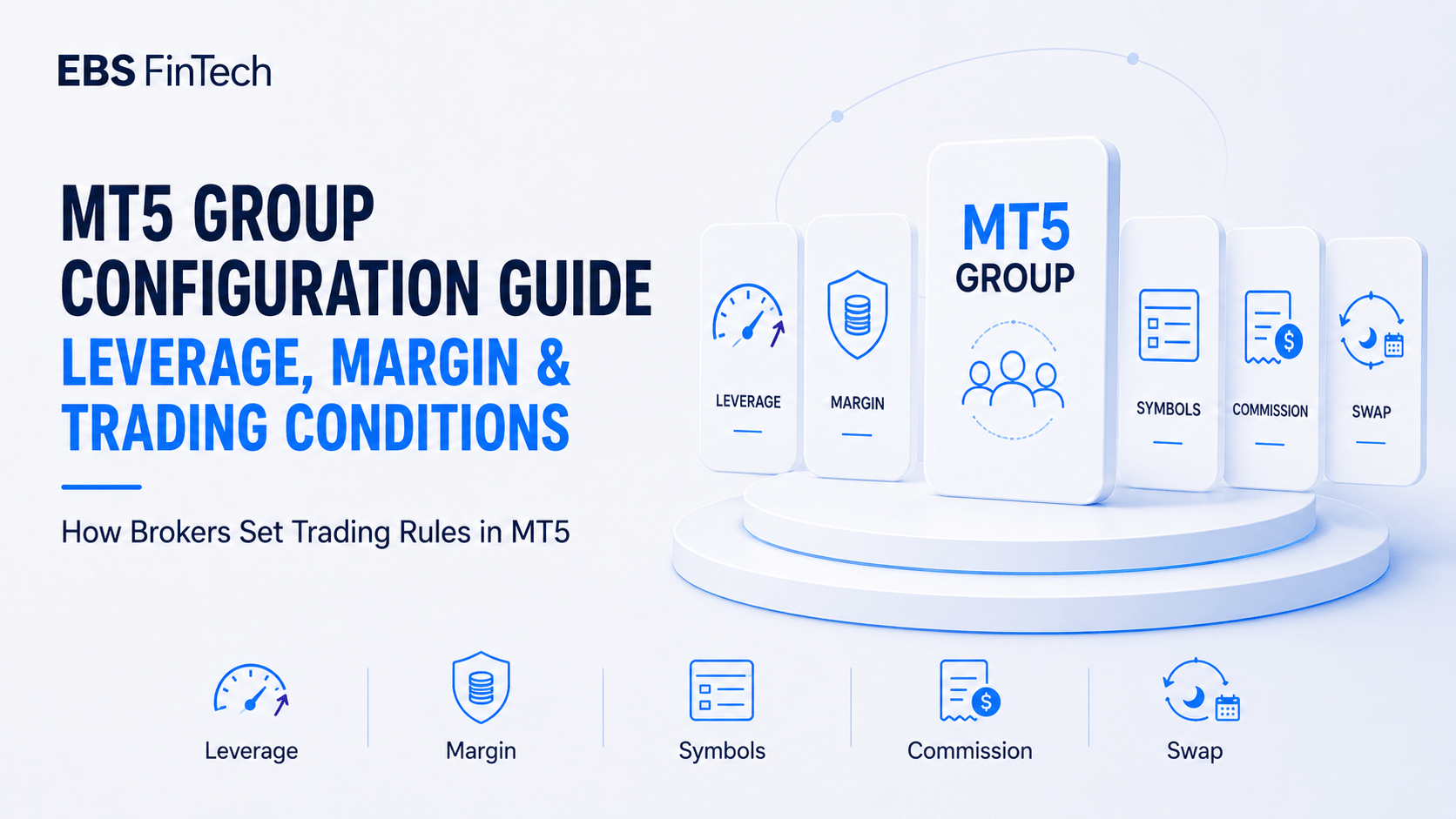
A Group is more than an administrative container for organising accounts. It defines symbol access, commission, spread markup, swap treatment, margin call and stop-out thresholds, and the default leverage an account is created with. Get it wrong and the symptoms show up somewhere else entirely: a client complains about double charged commission, a newly listed instrument is invisible in the terminal, a hedged position consumes far less margin than the risk team expected.
What a Group controls — and what it doesn’t
Every MT5 account belongs to exactly one Group. Around that Group sit several other concepts that are easy to conflate.
A symbol is a tradeable instrument. An account type — Standard, Raw Spread, VIP — is a commercial product shown on the website and in the CRM. A client category — Retail, Professional, Islamic — is usually a regulatory or operational classification. A Bridge routing rule decides what happens to an order after it reaches the broker’s infrastructure.
The Group is the layer that translates those commercial and regulatory decisions into account level settings. If the website advertises a Raw Spread USD account at 1:200 and the CRM offers that product, the corresponding Group still has to carry the matching symbol permissions, commission profile, swap treatment and margin parameters. When the CRM selection and the Group do not line up, the client receives conditions other than the ones they signed up for — and that gap is usually discovered by the client, not the broker.
One point deserves particular attention: an MT5 trading account has its own leverage parameter, while the Group normally supplies the default leverage and related trading conditions used during account creation. Moving an existing account to another Group changes the Group based symbol permissions, commission, swap and stop-out conditions, but the account’s current leverage should not be assumed to update automatically. Effective margin may also be affected by symbol margin parameters, Group margin rates and floating-leverage rules, so each item should be verified after a Group transfer.
Why Brokers Usually Need Multiple Groups
Placing every client into a single universal Group removes the broker’s ability to separate jurisdictions, account products, leverage policies and risk controls. Most brokers end up with some combination of Standard, Raw Spread, VIP, Islamic, Demo, Professional, IB, internal staff, and Groups reflecting restricted jurisdictions or elevated-risk clients.
None of these names are MT5 requirements. What matters is that each Group exists for a documented operational reason. A VIP Group might carry a lower commission and a tighter markup. A Professional Group might apply different leverage limits and disclosure requirements. An Islamic Group might suspend overnight swap and apply an administrative fee after a defined grace period. Creating Groups purely for marketing presentation, with no recorded difference between them, adds administrative surface without adding control.
Leverage is not a single number
A broker may describe an account as 1:200. The margin actually required to open a position is rarely determined by that number alone.
Account leverage sets the general ratio, but symbol level settings modify what it means in practice. A broker can run Forex at full account leverage while applying a lower effective leverage to gold, percentage of notional margin to stock CFDs, a fixed margin amount to indices, and progressively higher requirements to large positions through tiered margin. Group level margin rate coefficients can adjust these further for specific client segments.
Two settings deserve particular attention.
Tiered margin applies a higher requirement as position size grows. It is the most direct tool available for limiting the exposure a client can build under a high headline leverage figure, and it is frequently left at default.
Hedged margin determines what an opposite position costs. Depending on configuration, a hedge may attract reduced margin, full margin on both legs, or margin on the larger leg only. Set too permissively, it lets a client hold very large gross positions on very little capital — and the resulting exposure is not visible in the leverage field anyone is looking at.
The practical implication: test margin by symbol and by order size. The nominal leverage value alone does not show how much exposure the account can actually build across different instruments and position sizes.
Symbol permissions: the streaming price nobody can trade
A symbol existing on the server does not make it available to every Group. This distinction is behind a large share of support tickets.
The instrument is added, the quotes are updating in the Administrator, and clients still cannot see or trade it. The cause is frequently found in the Group configuration: the symbol has not been enabled for that Group, it is set to close only, or the Group specific trading conditions are incomplete. Other causes may include trading sessions, minimum volume, symbol suffixes or the master symbol configuration. Group settings also govern volume limits, volume step, pending order permissions, stop and limit distances and permitted order types — any of which can block an otherwise correctly priced instrument.
Every symbol addition is therefore two jobs: the master symbol configuration, and the conditions applied to each Group that should receive it.
Where trading costs are actually created
The cost a client pays is assembled across several independent layers: the raw LP price, any markup applied in the Bridge or aggregator, the spread difference configured at Group level, and the commission profile attached to the Group. IB rebates and CRM side account settings may sit on top.
These layers stack. A markup added in the Bridge and a second spread difference added in the Group both reach the client. A commission charged in MT5 and calculated again in an external ledger produces a client who has, correctly, concluded they were billed twice.
Commission direction is the classic failure. USD 3 per lot per side is USD 6 per round turn. If the website says “USD 3 per lot” and MT5 charges USD 3 on entry and USD 3 on exit, the complaint is not a misunderstanding — the published specification is wrong. The same discipline applies to IB rebates: the broker should be able to say precisely whether a rebate is funded from commission, from markup, from spread revenue or from a separate ledger.
Swap and swap-free
Swap rates are defined at symbol level. Group settings determine whether they are applied, and can carry multipliers or exemptions. This layering matters because it means “changing the swap” can mean two different jobs depending on whether the change is universal or segment specific.
Swap-free deserves a policy, not a switch. Removing financing cost without any limit — no grace period, no instrument restrictions, no holding-period cap — leaves the broker exposed in instruments with significant positive or negative carry, and the exemption tends to be found and used at scale. Most workable implementations pair the exemption with a defined grace period, an administrative fee after it, and a documented list of excluded instruments. Administrative fees applied after a grace period often require separate implementation through a server plugin, API, CRM or backoffice accounting logic rather than relying solely on the standard swap parameters. The exact implementation depends on the broker’s platform version and infrastructure — which is precisely why it gets forgotten.
Swap values also move with underlying rates, borrow costs and LP terms. They are not static reference data.
Stop-out, credit and negative balance
Group level risk settings determine how the platform responds when account equity falls. The margin call level defines when the account enters a margin warning state. Once the stop out level is reached, the platform applies the configured stop out procedure, including the cancellation of relevant orders and the closing of positions. These thresholds may be defined as percentages or monetary amounts, and their practical effect depends on the underlying margin configuration and account risk model. A stop out set too low lets losses run further during fast markets; set too high, it liquidates clients earlier than they expect and generates complaints.
Credit affects equity, free margin and liquidation behaviour. Bonuses and temporary adjustments should never be issued without written rules on withdrawal eligibility, expiry, margin participation and stop-out treatment. Misconfigured credit creates a gap between what the account appears to hold and what the broker is actually carrying.
Negative balance protection is not a standard setting that can simply be enabled at MT5 Group level. Brokers generally implement the policy through a server plugin, risk system, CRM or backoffice balance correction process. A broker that has promised negative balance protection should test and document the actual mechanism rather than assume the trading platform will automatically reset negative balances.
A Group is not an A-Book or a B-Book
Naming a Group “A-Book” does not route anything anywhere.
A-Book and B-Book describe how the broker manages trading risk. The Group is one possible input to that decision — the Bridge, dealing system or risk engine may reference it alongside symbol, order size, net exposure, client behaviour, LP availability and risk limits. External execution happens because the Bridge and LP mapping are configured, connected and monitored, not because of a label.
The corollary is equally important: renaming a Group changes nothing downstream unless the routing rules that reference it are updated at the same time.
CRM assignment and moving accounts
In an integrated environment, the CRM creates the MT5 account and assigns the Group automatically, based on the selected account type, jurisdiction, legal entity, client classification, KYC outcome, requested leverage, Islamic status and base currency.
Automation can reduce repetitive manual work and individual account opening errors, but it can also amplify systematic configuration mistakes. An incomplete mapping table may assign a large number of accounts to the wrong trading conditions before the issue is detected. Worth having in place: an approved CRM to Group mapping table, role based permissions on Group edits, manual review for exceptions, alerts on failed assignment, change logs, and periodic reconciliation between CRM records and MT5 reality.
Moving an active account between Groups is a trading conditions change, not a relabelling. It should require approval and post change verification — including a check on whether leverage moved with it.
Before you go live
Test the full account lifecycle, not one small trade on one account.
Automatic account creation and correct Group assignment. Applied leverage. Margin by symbol, margin at different volumes, hedged margin. Symbol visibility and trading permissions. Market and pending orders, minimum and maximum volume, volume step. Spread, markup, commission, IB rebate. Swap, triple swap day, swap-free rules and fee mechanism. Margin call, stop-out, negative balance handling. Deposit, withdrawal, credit behaviour. CRM synchronisation, Bridge routing, LP mapping. Daily reports, account statements, administrator permissions, Group-transfer controls.
Then compare the result against the account specifications published on the website and in the client portal. Where they disagree, one of them is a future complaint.
Naming and change management
A structured convention makes Group administration legible without opening each one: LIVE-RAW-USD-200-EU-AB reads as a live Raw Spread USD Group at 1:200, tied to a European entity with a defined routing category. Environment, account type, base currency, leverage, region, entity, routing model and client classification are all reasonable components — but the name should stay readable. A separate Group register, recording the purpose, owner and full parameters of each Group, carries the detail the name cannot.
Configuration does not stop at launch. New account types, new symbols, new LPs, revised leverage policy, regulatory restrictions, promotions and IB structures all reach back into the Groups. A workable change process:
- Documented change request, with the commercial or risk reason stated
- Review and approval by authorised personnel
- Testing in a non-production environment where possible
- Defined implementation window and configuration backup
- Rollback procedure
- Post-change validation
- Change log and approval record retained
During volatile markets, abnormal pricing or liquidity interruptions, a broker may need to implement an emergency configuration change. Such changes should follow a pre approved emergency change procedure and should still retain, at minimum, authorised confirmation, a pre change configuration snapshot or backup, an implementation record and post change validation. Any standard testing or approval documentation that cannot be completed beforehand should be completed promptly after the immediate risk has been contained and independently reviewed.
How EBS FinTech supports MT5 configuration
MT5 Group configuration is not a matter of filling in fields in the Administrator. The settings have to stay aligned with the broker’s website, CRM, client classifications, symbol list, liquidity structure, Bridge rules and risk policy — and stay aligned as each of those changes.
EBS FinTech works with brokers on the technical implementation and coordination side, including MT5 platform deployment and server hosting, Group and Symbol configuration, leverage and margin setup, commission and markup configuration, swap and swap-free settings, CRM-to-MT5 onboarding integration, LP and Bridge mapping, Demo and Live testing, configuration backup, and ongoing monitoring and controlled updates. Where a broker requires an MT5 White Label, EBS FinTech coordinates the technical deployment and system integration within its scope of technical services; licensing decisions and eligibility criteria rest entirely with MetaQuotes.
The Group structure itself should be designed around the broker’s operating model rather than copied from a template. Define the account products, client classifications, permitted jurisdictions, pricing model, margin policy, routing logic and approval process first. The configuration follows from those decisions — not the other way around.
EBS FinTech provides technology infrastructure, system deployment and technical maintenance services to brokerage operators and businesses preparing compliant brokerage operations. EBS FinTech does not provide brokerage services, receive, hold or manage client trading funds, or offer or solicit investment services to individual investors in any jurisdiction. This article provides general technical information only and does not constitute legal, regulatory, investment or financial advice. Specific configurations should be assessed against applicable laws, regulatory requirements, platform versions and the broker’s operating model.